By LyfPDF Editorial Team · Published
Geometry versus object outlines
The library has twelve categories of ten shapes. Fundamental outlines, polygons and symbols build shape vocabulary and early maths. Weather, nature, food, animals, transport, home, school, play and structures connect shapes to things children recognise — a sun, an apple, a bus or a castle.
Every shape is drawn as ordered pen strokes. The first stroke is the outline; interior details such as eyes or windows are separate strokes that you can hide for contour-only practice.
Search and category filters
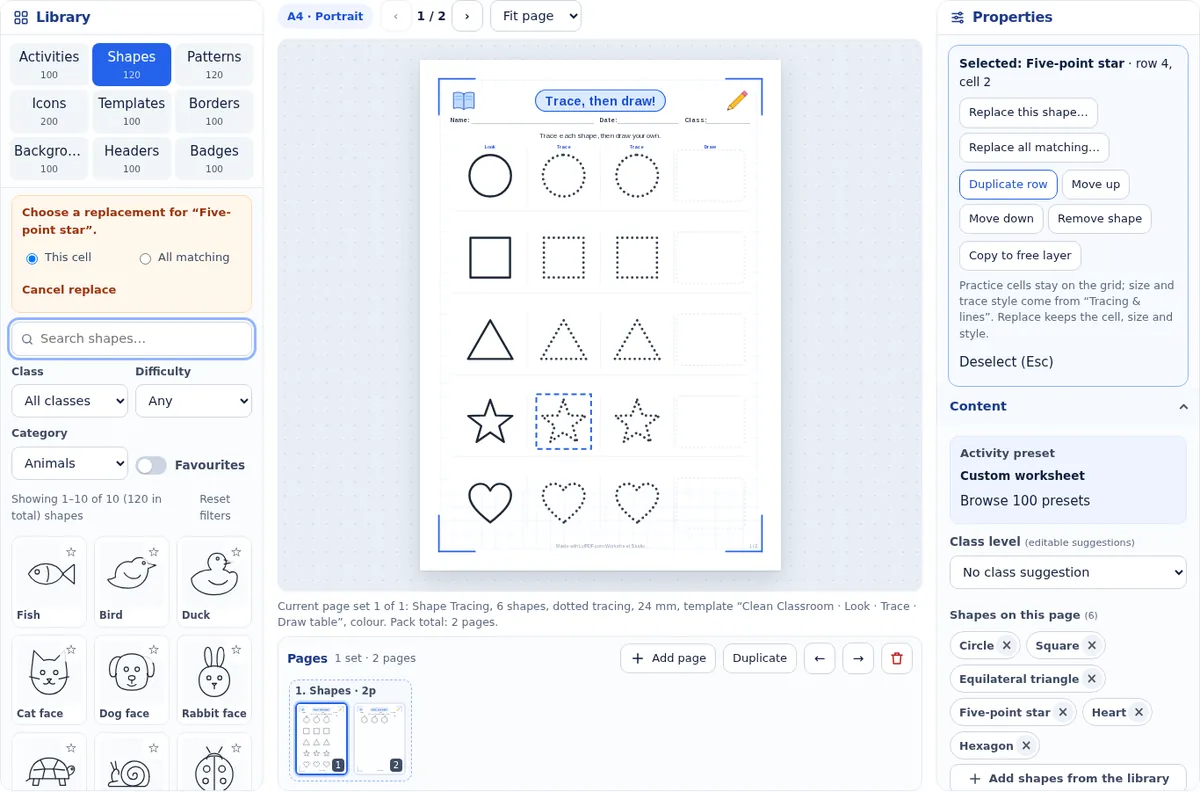
Open the Shapes tab. Search by name or keyword, choose a category, a class level and a difficulty, or show only your favourites. The live count shows how many shapes match, and Reset filters brings back all 120. Recently used shapes appear above the results.
Single and multi-shape selection
Click cards to select several shapes, then Add selected. Each shape becomes a practice row. Remove a shape with the × on its chip in Content, or select it on the page and press Remove shape. Layout lets you choose one shape per row, mixed shapes in every row, or one shape per page.
Model, trace and draw
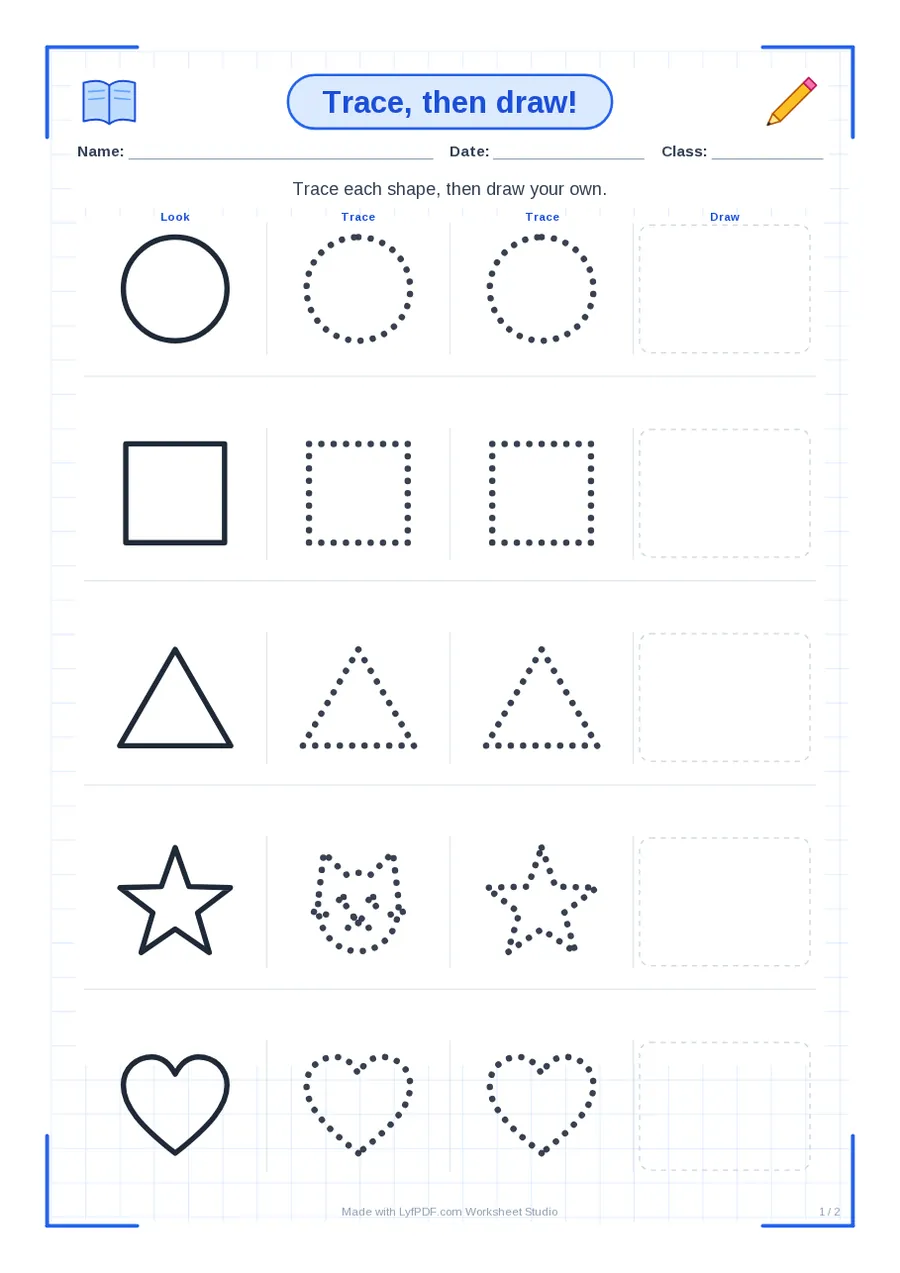
The first cell in each row is a solid model, the next cells are for tracing and the light box at the end is for drawing without help. The Look · Trace · Draw table puts these in labelled columns. Other activities include progressive fading, big-to-small sizes, trace and match, symmetry completion and shape-to-object pairs.
Difficulty and class overrides
Class levels set a starting size and spacing; Nursery suggestions use large simple outlines, while Class 3–5 suit more complex outlines. Change Size, Examples per row or Row spacing at any time — the class choice is only a suggestion.
Start points and direction arrows
Choose the start-dot trace style. A green dot marks where each stroke begins and a small arrow shows its direction, following the real stroke order of the LyfPDF drawing. Shapes with several strokes get numbered dots.
Replace without losing the layout
Click a shape on the page and choose Replace this shape. Pick a new shape in the library: the cell keeps its position, size and trace style. Choose All matching to swap every copy of that shape at once. Shuffle reorders the shapes with a numbered seed, so the same seed gives the same order again. Undo covers every replacement.
Black-and-white printing
Choose B&W low-ink in Design. Backgrounds are removed, decorations become thin outlines and the tracing lines stay dark. Grayscale keeps light tints for printers that handle grey well.
Mixed packs
Use Add page to follow the shape page with patterns, numbers or names in the same PDF. Each page set keeps its own mode and design; the Pages strip lets you reorder or duplicate sets.
Troubleshooting
A shape is missing: clear the search, reset filters and choose All classes. Shapes look crowded: lower Size or set Examples per row. Something looks cut off in the export: the PDF uses the same layout as the preview, so check the preview at 100% zoom and print at Actual size; if your printer adds its own margins, choose Fit to printable area only if the lines may shrink slightly.
Questions
How many shapes are there?
At least 120 traceable shapes and object outlines in twelve categories. The count in the studio comes from the shape library itself.
Can I change just one shape?
Yes. Select the cell and choose Replace this shape; the size, style and position stay the same.
Can I print shape worksheets without colour?
Yes. B&W low-ink removes backgrounds and simplifies decorations while keeping tracing lines clear.
Do the start dots show the correct stroke order?
They follow the stroke order of the LyfPDF drawings. Check them against the method your school teaches.